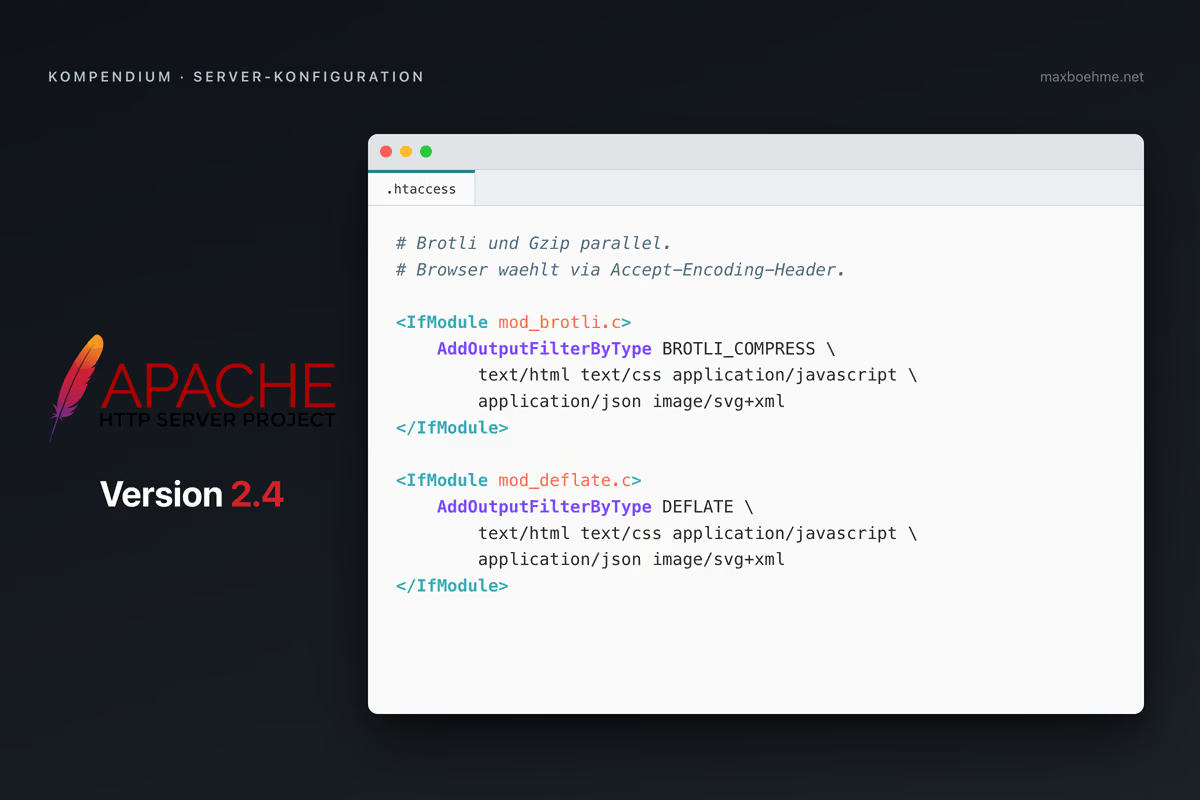
Wenn dein WordPress-Shop auf Apache läuft und du keinen Zugriff auf die Server-Konfiguration hast, kannst du über eine .htaccess zwei Hebel sofort ziehen: Kompression macht Antworten kleiner (eine 80 KB CSS-Datei wandert mit Brotli als 6 KB Antwort übers Netz), Browser-Caching macht Wiederbesuche praktisch kostenlos (statt 60 Requests pro Seite reichen oft 3). Beides ändert nichts am PHP, am Theme oder am Plugin-Stack. Es spart trotzdem messbar Ladezeit.
Dieser Beitrag liefert eine Drop-in-Konfiguration. Aufbau, Erklärung, Verifikation.
Voraussetzungen
| Punkt | Pflicht |
|---|---|
| Apache 2.4.26 oder neuer | ja (Brotli-Mindestversion) |
| Du darfst eine .htaccess im Web-Root anlegen | ja |
| Der Hoster erlaubt AllowOverride All (oder zumindest FileInfo + Indexes + Limit) | ja |
| mod_deflate, mod_headers, mod_expires sind geladen | ja, sind Standard |
| mod_brotli ist geladen | optional, schadet nicht wenn fehlt |
Auf typischen Shared-Host-Setups (Strato, IONOS, all-inkl, Hetzner) ist mod_brotli häufig nicht aktiv. Die Konfiguration unten fängt das ab. Apache wirft keinen 500er, der Brotli-Block bleibt einfach inaktiv und gzip funktioniert weiter.
Voraussetzung für lange Cache-Zeiten: Cache-Buster im Dateinamen
Lange Cache-Zeiten (1 Jahr) und vor allem die immutable-Direktive sind nur dann sicher, wenn deine statischen Assets einen Cache-Buster im Dateinamen oder Query-String haben. Beispiele:
- WordPress Core: style.css?ver=6.7.1 (Query-String, hashed pro Release)
- Build-Tools (Vite, webpack, parcel): main.a3f4b2.js (Hash im Dateinamen)
- WP Rocket / W3 Total Cache mit Minification: main.min.css?ver=…
Ohne Cache-Buster gilt das nicht. Wenn deine Theme-Datei style.css nach einem Edit denselben Pfad behält, sieht der Browser ein Jahr lang die alte Version. Im Zweifel schau im Sourcecode oder den Browser-Dev-Tools, eine .css– oder .js-Referenz suchen, prüfen ob ein ?ver= oder ein Hash drinhängt. Wenn nein, immutable unten auskommentiert lassen und über kürzere max-age-Werte (1 Tag, 1 Woche) nachdenken.
Die Drop-in .htaccess
Diese Datei kannst du unverändert an den Anfang einer bestehenden .htaccess setzen oder als eigene Datei deployen. Die IfModule-Blöcke sorgen dafür, dass jede Direktive nur dann greift, wenn das passende Modul auch geladen ist.
# =============================================================================
# Apache 2.4 -- Drop-in for compression and browser caching
# Validated on httpd 2.4.66, compatible from Apache 2.4.26 (mod_brotli minimum).
# No .htaccess-illegal directives, all modules wrapped in <IfModule> guards.
# =============================================================================


# -----------------------------------------------------------------------------
# (1) COMPRESSION -- Brotli first, gzip as fallback
# -----------------------------------------------------------------------------
# WHY: Smaller response = faster download. Brotli typically compresses text
# 15-25% better than gzip but is not available everywhere. Apache picks the
# encoding automatically based on the client Accept-Encoding header:
# if "br" is present (HTTPS-only, modern Chrome/Firefox/Safari) -> Brotli;
# otherwise -> gzip. The order in which filters are declared decides
# precedence -- Brotli MUST be declared before Deflate here.

<IfModule mod_brotli.c>
    <IfModule mod_filter.c>
        AddOutputFilterByType BROTLI_COMPRESS \
            text/html text/plain text/css text/javascript text/xml \
            text/cache-manifest text/calendar text/markdown \
            text/vcard text/vtt text/x-component \
            application/javascript application/json application/ld+json \
            application/manifest+json application/atom+xml application/rss+xml \
            application/xhtml+xml application/xml application/wasm \
            application/vnd.ms-fontobject \
            image/svg+xml image/x-icon image/vnd.microsoft.icon \
            font/eot font/otf font/ttf
    </IfModule>
</IfModule>

<IfModule mod_deflate.c>
    <IfModule mod_filter.c>
        AddOutputFilterByType DEFLATE \
            text/html text/plain text/css text/javascript text/xml \
            text/cache-manifest text/calendar text/markdown \
            text/vcard text/vtt text/x-component \
            application/javascript application/json application/ld+json \
            application/manifest+json application/atom+xml application/rss+xml \
            application/xhtml+xml application/xml application/wasm \
            application/vnd.ms-fontobject \
            image/svg+xml image/x-icon image/vnd.microsoft.icon \
            font/eot font/otf font/ttf
    </IfModule>

    # Defense-in-depth: explicitly skip already-compressed formats.
    # AddOutputFilterByType filters on MIME type. If the server reports
    # the wrong MIME type, this URI rule is the second line of defense.
    # Re-compressing JPG/PNG/WOFF2/MP4 saves no bytes and burns CPU.
    <IfModule mod_setenvif.c>
        SetEnvIfNoCase Request_URI \
            \.(?:gif|jpe?g|png|webp|avif|jxl|woff2?|mp4|webm|ogg|mp3|m4a|zip|gz|br|7z|rar|bz2|xz|zst)$ \
            no-gzip dont-vary
    </IfModule>
</IfModule>

# Note: Vary: Accept-Encoding is set automatically by both mod_brotli
# and mod_deflate. No need to add it manually.


# -----------------------------------------------------------------------------
# (2) BROWSER CACHING -- max-age via mod_expires
# -----------------------------------------------------------------------------
# WHY: Static assets (CSS/JS/images/fonts) rarely change. WordPress versions
# them via query string (?ver=...). Long cache lifetimes save requests on
# repeat visits. HTML changes constantly and should be revalidated, not
# cached blindly.

<IfModule mod_expires.c>
    ExpiresActive On

    # HTML -- expires immediately, browser revalidates via If-Modified-Since/ETag
    ExpiresByType text/html                 "access"
    ExpiresByType text/plain                "access plus 1 hour"

    # CSS / JS -- 1 year (cache-bust via query string from the CMS)
    ExpiresByType text/css                  "access plus 1 year"
    ExpiresByType application/javascript    "access plus 1 year"
    ExpiresByType text/javascript           "access plus 1 year"

    # Images -- 1 year for content images, 1 week for favicons
    ExpiresByType image/jpeg                "access plus 1 year"
    ExpiresByType image/png                 "access plus 1 year"
    ExpiresByType image/gif                 "access plus 1 year"
    ExpiresByType image/webp                "access plus 1 year"
    ExpiresByType image/avif                "access plus 1 year"
    ExpiresByType image/svg+xml             "access plus 1 year"

    # Favicons -- shorter window so a redesign propagates within a week
    ExpiresByType image/x-icon              "access plus 1 week"
    ExpiresByType image/vnd.microsoft.icon  "access plus 1 week"

    # Fonts -- 1 year (effectively immutable)
    ExpiresByType font/woff2                "access plus 1 year"
    ExpiresByType font/woff                 "access plus 1 year"
    ExpiresByType font/ttf                  "access plus 1 year"
    ExpiresByType application/vnd.ms-fontobject "access plus 1 year"

    # Data / feeds -- short, so crawlers and readers refresh quickly
    ExpiresByType application/rss+xml       "access plus 1 hour"
    ExpiresByType application/atom+xml      "access plus 1 hour"
    ExpiresByType application/json          "access"
    ExpiresByType application/ld+json       "access"
    ExpiresByType application/xml           "access"
    ExpiresByType text/xml                  "access"

    # PWA / Service Worker -- never serve a stale service worker
    ExpiresByType application/manifest+json "access plus 1 week"
    ExpiresByType text/cache-manifest       "access"
</IfModule>


# -----------------------------------------------------------------------------
# (3) Cache-Control directives -- everything that does not fit into max-age
# -----------------------------------------------------------------------------
# WHY: mod_expires only sets max-age + Expires. Modifiers like no-store
# come on top via mod_headers.
# WHY "append" instead of "set": "set" would overwrite mod_expires' max-age.

<IfModule mod_headers.c>

    # Static, versioned assets: tell modern browsers they may use the cached
    # copy without revalidation until it expires.
    #
    # IMPORTANT: only enable "immutable" if your assets carry a cache-buster
    # in the filename or query string (e.g. WordPress ?ver=, Vite/webpack
    # filename hashes). Without a cache-buster a deployed change will be
    # invisible to returning visitors for up to a year. The default below
    # is the safer variant -- swap the comment markers if you have busters.
    <FilesMatch "\.(css|js|mjs|woff2?|ttf|otf|eot|jpe?g|png|gif|webp|avif|svg|ico)$">
        # Default (safe): public + stale-while-revalidate, no immutable.
        Header append Cache-Control "public, stale-while-revalidate=86400"
        # Enable this line ONLY if your assets are cache-busted:
        # Header append Cache-Control "public, immutable, stale-while-revalidate=86400"
    </FilesMatch>

    # HTML -- revalidate, do not cache blindly.
    <FilesMatch "\.(html?|htm)$">
        Header set Cache-Control "no-cache, must-revalidate"
    </FilesMatch>

    # API-style data -- revalidate as well.
    <FilesMatch "\.(json|xml)$">
        Header set Cache-Control "no-cache"
    </FilesMatch>

    # Service Worker / login pages -- never cache.
    <FilesMatch "(service-worker|sw)\.js$">
        Header set Cache-Control "no-cache, max-age=0"
    </FilesMatch>
    <FilesMatch "^(wp-login\.php|xmlrpc\.php)$">
        Header set Cache-Control "no-store, no-cache, must-revalidate, private"
    </FilesMatch>
</IfModule>


# -----------------------------------------------------------------------------
# (4) ETag -- drop the inode from the hash
# -----------------------------------------------------------------------------
# WHY: Apache's default "INode MTime Size" depends on the filesystem and is
# not portable across servers. ETag stays active because the 304 response
# on revalidating HTML still saves the body.

FileETag MTime SizeWas die Konfiguration bewirkt
Block 1 (Kompression): Apache komprimiert Text-Antworten mit Brotli, falls der Browser das unterstützt, sonst mit Gzip. Bilder, Fonts und andere bereits komprimierte Formate werden bewusst ausgespart.
Block 2 (max-age): Statische Assets dürfen ein Jahr im Browser-Cache liegen. Favicons eine Woche, damit ein Redesign innerhalb von sieben Tagen durchschlägt. HTML läuft sofort ab und wird beim nächsten Aufruf neu geprüft. JSON, XML und Feeds liegen dazwischen.
Block 3 (Cache-Control-Modi): Versionierte Assets bekommen stale-while-revalidate obendrauf, damit der Browser im Hintergrund aktualisieren darf. Die immutable-Variante ist auskommentiert vorbereitet (siehe Voraussetzungs-Hinweis oben). wp-login.php und xmlrpc.php werden nie gecacht.
Block 4 (ETag): Apache lässt den Inode aus dem ETag-Hash, was die Konfiguration zwischen Servern portabel macht.
Verifikation per curl
Nach dem Deploy kannst du mit diesen drei Befehlen testen.
# 1) Brotli or gzip -- whichever the server supports.
curl -sI -H "Accept-Encoding: br, gzip" https://example.com/ | grep -i "content-encoding"
# Expected: content-encoding: br      (or: gzip if mod_brotli is missing)

# 2) Images are NOT compressed.
curl -sI -H "Accept-Encoding: br, gzip" https://example.com/wp-content/uploads/photo.jpg | grep -i "content-encoding"
# Expected: no match (no content-encoding line)

# 3) Cache-Control for static assets is set.
curl -sI https://example.com/wp-content/themes/your-theme/style.css | grep -i "cache-control"
# Expected: Cache-Control: max-age=31536000, public, stale-while-revalidate=86400Wenn Test 1 gzip statt br zurückgibt, ist mod_brotli auf dem Server nicht aktiv. Das ist auf typischem Shared Hosting normal und kein Bug. Brotli kommt dann über den Hoster-Support oder ein vorgeschaltetes CDN ins Spiel (siehe nächster Abschnitt).
Wenn Brotli nicht greift
Auf vielen Shared-Hosting-Paketen ist mod_brotli nicht aktiviert. Du hast vier Optionen, jeweils mit Aufwand und Effekt:
| Option | Aufwand | Effekt |
|---|---|---|
| Hoster-Support fragen, ob mod_brotli aktivierbar ist | gering | Variabel. Bei IONOS WebSpace 2026 nicht aktiv und nicht aktivierbar. |
| Auf gzip-only bleiben | null | Reicht meist. Brotli spart 15-25 % gegenüber Gzip. |
| Cloudflare Free davor schalten | mittel | Brotli und Edge-Cache und DDoS-Schutz inklusive. Empfohlen wenn ohnehin Performance-Hebel gesucht werden. |
Quellen und weitere Lektüre
- Apache HTTP Server: mod_brotli, mod_deflate, mod_expires, mod_headers.
- HTML5 Boilerplate: server-configs-apache, die Referenz-Boilerplate, an die diese Drop-in stark angelehnt ist.
- MDN: Cache-Control, HTTP-Caching.
- web.dev: Prevent unnecessary network requests with the HTTP Cache.
- RFCs: 9111 (HTTP Caching), 8246 (immutable), 5861 (stale-while-revalidate).
Server-Tuning ist nur die halbe Miete.
Eine saubere .htaccess sorgt dafür, dass Apache Bytes effizient ausliefert.
Den größten Hebel haben aber die Bytes, die du gar nicht erst überträgst: ungenutzte Schriftschnitte, blockierende Third-Party-Tags, Bilder ohne richtige Dimensionen.
Ich begleite E-Commerce- und Content-Teams dabei, diese Hebel systematisch durchzuziehen. Von der Messung über die Priorisierung bis zur Umsetzung im Theme oder Build-Step.

PageSpeed Expert